
Home Battery Installation: Permits, Electrical Work, and What to Check
A home battery may need much more than a wall mount. Find out which permits, gateways, circuits and electrical changes must be included before installation.
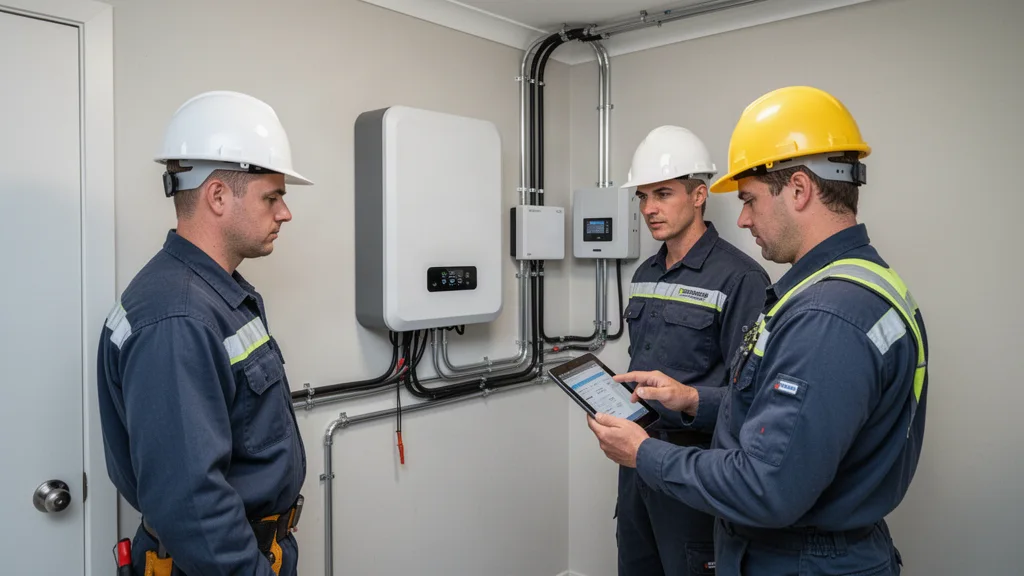
Start with the job the battery is supposed to perform
A home battery installation begins with an operating goal, not a wall location. Decide whether you want to shift electricity use between times of day, maintain selected circuits during outages, support a broader set of loads or combine these goals. A design for routine bill management may omit equipment needed for backup. A design sold as whole-home backup still needs explicit limits on simultaneous loads and available energy.
Ask the installer to describe an ordinary evening and a grid outage using the proposed system. Which circuits receive power, which appliance is limited first and what happens when stored energy gets low? The Department of Energy explains that solar resilience depends on the full configuration, including suitable inverter and storage equipment. A battery added to a proposal does not establish the backup behavior of the installed home.
The site assessment should examine the whole electrical arrangement
Expect the designer to evaluate the existing service equipment, proposed connection, solar equipment if present and routes between components. Ask for a diagram identifying the battery, inverter, backup controller or transfer equipment, electrical panels and supported loads. If essential circuits will be moved into another panel, identify those circuits before construction. If automatic controls manage large loads, ask what they disconnect and whether manual choices remain available.
Provide existing solar plans, equipment models and utility authorization if available. Compatibility is specific to the proposed architecture and equipment, not just the fact that both products are sold for homes. Ask whether existing solar can continue operating and recharge the battery during an outage in the quoted configuration. Keep future expansion options separate from capacity and capability actually included today.
Choose the equipment location before signing off on the scope
Ask the installer to explain why the proposed location meets the equipment instructions and applicable local requirements. Working space, access, nearby openings, vehicle exposure, environmental conditions and routing can affect placement. A garage wall, side yard and utility area can present different constraints. If the first choice is rejected during review, ask what alternative location and additional work would be proposed.
Confirm whether the installed price includes mounting supports, pads where needed, protection from vehicle impact where required, conduit, wall penetrations and finish repair. Do not assume every home needs the same details or clearance dimensions. The applicable authority, approved design and manufacturer instructions govern the specific installation. California's Office of the State Fire Marshal maintains storage safety resources, but a general resource page is not a location approval for your house.
Check energy, power and the circuit list as separate design tests
Usable energy in kilowatt-hours helps establish runtime. Power in kilowatts determines which loads can run together, while starting requirements matter for motors and other demanding equipment. Ask the designer to verify actual appliance requirements rather than infer them from the home's floor area. Air conditioning, well pumps, electric cooking and vehicle charging should appear explicitly if you expect to use them during an outage.
Use a fictional planning case to make the distinction clear. If 8 kWh is actually available to appliances and their average demand is 0.8 kW, the simplified energy calculation gives ten hours. That arithmetic does not prove the inverter can start a compressor or supply several appliances simultaneously. Ask which reserve and conversion deductions are already included in the delivered-energy figure so the same allowance is not subtracted twice.
Make permits and utility coordination part of the quoted project
Identify the local authority, required application route and contractor responsible for corrections and inspections. Battery work can involve electrical and fire considerations beyond the original solar permit. Ask whether the permit covers all storage and backup equipment, any new panel and any service work. An approved design should match the equipment and location the crew intends to install.
Ask the utility how the storage addition affects the existing interconnection. SCE and LADWP publish different procedures; do not assume that a non-export setting or an existing solar permission automatically resolves the new storage scope. The installer should identify required utility review and the authorization needed before normal operation. Keep the new approval record with the existing system documents so future service does not depend on reconstructing what changed.
Compare complete installed scopes before comparing monthly payments
Request an itemized cash price covering storage equipment, controls, wiring, circuit changes, site work, permits, commissioning and monitoring setup. Ask whether electrical upgrades, finish repairs or service appointments are excluded or merely not yet priced. Compare the same backup capability across bids. A cheaper battery quote may cover bill shifting while the more expensive proposal includes transfer equipment and critical-load wiring.
Check the legal contractor name and appropriate licensing through CSLB for California work. Ask which subcontractors will be involved and who handles their corrections. Read the equipment and workmanship warranties separately, including diagnostic visits, labor, shipping and access to replacement parts. The company installing the battery and the company manufacturing it may have different obligations when a fault occurs.
Prepare for access, power interruption and crew work
Before installation, confirm the areas the crew needs, the expected sequence and whether someone must be home. Clear the agreed work area and coordinate pets, gates, vehicles and household schedules. Ask for notice of planned electrical interruptions. Anyone relying on medically necessary powered equipment should have a separate continuity plan based on that device's requirements and outage instructions.
The work can involve mounting equipment, installing wiring and controls, moving selected circuits and connecting communication equipment. Some tasks may occur on different visits. Ask who protects the home if weather or a newly discovered condition delays completion. Do not move electrical equipment, open covers or attempt to verify wiring yourself. Use the named project contact for access changes or concerns about the installation.
Accept commissioning as a demonstrated operating plan
Ask the qualified installer to demonstrate the agreed functions using its approved commissioning procedure. For a backup design, confirm which circuits remain powered, how transfer is indicated and what happens when utility service returns. The demonstration should reflect the installed equipment and approved configuration. Do not improvise an outage test by manipulating utility equipment or unfamiliar electrical controls.
Check that monitoring represents the battery, household use, solar and grid flow as applicable. Ask the installer to explain any display limitations or delays. Record the delivered operating mode, reserve setting and any load-control priorities. If a circuit expected to receive backup is excluded, resolve that discrepancy before treating the system as meeting the agreed scope. A working app cannot substitute for verifying the behavior the homeowner purchased.
Receive the records and access needed for long-term ownership
Keep the final diagram, equipment models and serial numbers, approved permits, inspection results, utility confirmations when required and commissioning report. Obtain the homeowner monitoring account and clarify who retains administrative or remote-control access. Ask how account transfer works if you sell the home or change service providers. Avoid leaving essential records solely inside an installer's account.
Learn the manufacturer-approved shutdown and restart instructions, service contacts and alert meanings. Ask whether loss of internet affects local operation, remote monitoring or both for this configuration. Record which settings you can change safely and which require a professional. If participation in a utility or rebate program permits dispatch or requires particular settings, keep those terms with the operating instructions.
Monitor settings, service needs and unusual conditions after installation
A reserve chosen for outages can leave less energy available for daily bill management. Ask the installer to explain that tradeoff before changing settings. Review operating results under the actual utility tariff rather than assume every discharge saves money. Weather, household demand and charging rules can affect performance. For extended outages, update the load plan when the household adds an appliance or changes its cooling needs.
Maintain access and required working space around the equipment. Follow the manufacturer's service and alert instructions, and use qualified support for faults. For smoke, unusual heat, odor, visible damage or an urgent hazard, keep people away and contact emergency services as appropriate. Do not attempt to open, move or repair a damaged battery. Clear operating instructions and an accessible service contact are part of a usable installation.
Frequently asked questions
Will a new home battery automatically power every circuit?
No. The installed electrical design establishes the supported circuits and power limits. Ask for the circuit list, load-control priorities and a commissioning demonstration. Even a broad backup design can require some large appliances to stay off or operate one at a time.
Can my existing solar recharge the battery during an outage?
It depends on compatibility, controls, approved configuration and available sunlight. Ask the designer to confirm that capability for your actual existing equipment. Request a low-solar outage scenario as well; a recharge-capable system cannot promise sufficient daily generation in every condition.
What should I receive before calling the installation complete?
Obtain the final design, equipment details, inspection results, utility authorization where required, commissioning record, monitoring access, operating settings and warranty contacts. Resolve discrepancies between the promised backup scope and the demonstrated circuit behavior. Record any remaining work and the responsible contractor.
Questions worth asking
- Which circuits and large loads are supported in the quoted configuration?
- Why is the proposed equipment location acceptable?
- What permits and utility review does this storage addition require?
- Who demonstrates backup behavior and provides the commissioning record?
Related guides
Do I need a solar battery?Plan whole-home battery backupStill researching solar?
Search homeowner guides by topic, electric utility, or location.
Sources and further reading
Sources reviewed: 2026-10-26. Confirm changing details with the official sources.
These links identify documents and resources used for this guide. Listing a source does not mean it was independently checked today. Utility rates, incentives, product specifications and program availability may change; confirm the latest version and effective date with the source.
U.S. Department of Energy — Solar and Resilience BasicsCalifornia Office of the State Fire Marshal — Battery Energy Storage SystemsLADBS — InspectionSCE — Solar Billing Plan frequently asked questionsLADWP — Interconnection requirementsCalifornia CSLB — Solar SmartStart with a home energy checkup
Organize your usage, home details and goals before comparing proposals.
Try the home energy checkupReady to compare companies?
Explore provider options when you are ready to request quotes.
Explore provider options