How Accurate Are Solar Production Estimates?
Evaluate a solar production forecast using the installed design, weather assumptions, shading, losses and monthly results; distinguish modeled energy from guarantees and savings.
Published by Home Solar Simplified · Editorial standards
https://homesolarsimplified.org/solar-guides/solar-production-estimate
Published by Home Solar Simplified. Includes 3 linked sources. Documented editorial date: .
A citation or editorial date does not guarantee a tariff, incentive or program remains unchanged today.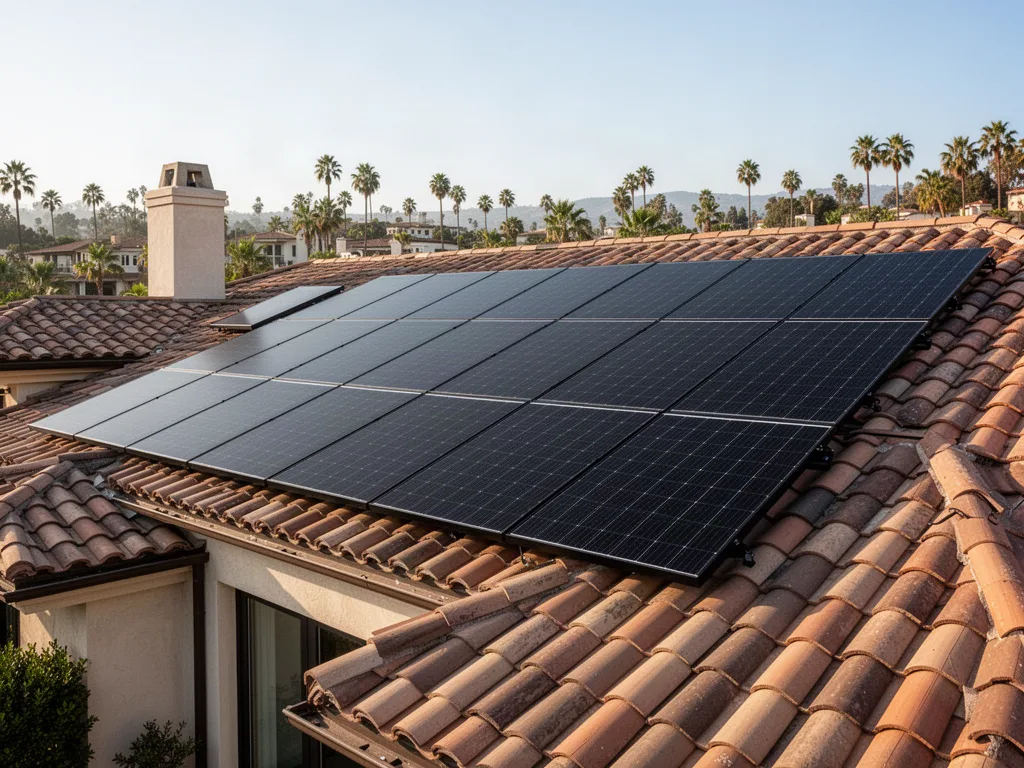
A production estimate describes energy under stated assumptions
A solar proposal's annual kilowatt-hour figure is a model result. It combines a location's solar resource with assumptions about the equipment and how the array is installed and operated. A useful estimate makes those inputs reviewable. A precise-looking number with no design details is difficult to assess, even if the seller describes it as conservative.
Begin by identifying what is being estimated: annual AC generation from the proposed array, production from a particular inverter, utility exports or bill savings. These quantities are related but different. For most homeowner comparisons, start with the energy the solar system is expected to generate, then evaluate how much the household can use and what exported electricity would be worth under the applicable utility arrangement.
Check the system size and the design actually proposed
Panel capacity is commonly expressed as DC kilowatts under specified rating conditions. Multiplying the number of panels by their rated watts gives a starting capacity check. For an arithmetic illustration, 18 modules rated at 400 watts total 7,200 watts, or 7.2 kW DC. That is not a prediction that the roof will supply 7.2 kW throughout daylight or generate a fixed number of kilowatt-hours each day.
Confirm the inverter capacity and arrangement, roof planes, tilt and orientation. If the design places panels on several differently oriented roof faces, ask how each group was modeled. Verify that the forecast is for the final design rather than an earlier proposal with more modules or better placement. Equipment substitutions and layout changes should trigger an updated estimate, not only a revised equipment list.
Use a public calculator as a reasonableness check
PVWatts, developed by NREL and now hosted by the National Laboratory of the Rockies, estimates grid-connected photovoltaic energy from location and system inputs. It is useful for a preliminary independent check. The official calculator explicitly cautions that results contain assumptions and uncertainties and cannot represent site characteristics that are not reflected in the inputs. It is a starting point for questions rather than a substitute for a site-specific design assessment.
Enter the proposed capacity, module and array type, tilt, azimuth and loss assumptions carefully, then save the input summary and monthly results. Use the tool's own help to interpret each field. If your roof is complicated or heavily shaded, ask the installer whether a more detailed model is needed. A calculator cannot discover nearby obstructions simply because you entered the street address.
Ask how shading was measured
A chimney, neighboring building or growing tree can affect different parts of the array at different times. Ask whether the provider used a site assessment, a documented remote analysis or a broad assumption. Request the shading result and how it entered the production model. An aerial image can be helpful, but an outdated image or incomplete obstruction assessment can miss conditions relevant to the roof.
Discuss expected changes over the ownership period. A small tree may be larger later; planned construction may alter sunlight. Do not assume removing vegetation is feasible or authorized simply because a model needs less shade. If an optimistic forecast depends on tree work, identify that dependency, its cost and whether the work is actually planned before treating the output as the likely outcome.
Review losses as part of the model
Installed systems do not convert every unit of available sunlight into delivered AC electricity. Models account for effects such as equipment behavior, temperature, wiring and other losses. PVWatts includes adjustable loss categories, including soiling, shading and availability. Ask which inputs were changed from defaults and why, especially when comparing proposals with noticeably different annual forecasts for similar roof layouts.
Do not assume that the lowest loss percentage indicates the best design. It may reflect better equipment or site conditions, but it may also reflect optimistic assumptions. Ask whether the forecast includes realistic operational downtime and whether age-related performance changes appear in longer-term projections. Keep the first-year production model distinct from a 20-year savings spreadsheet, which needs additional assumptions about generation and financial conditions.
Look at the monthly shape, not only the annual total
Annual energy is useful for system sizing, but the month-to-month pattern helps you understand the household experience. Shorter days, solar angle and weather make generation seasonal. Request monthly output and compare it with your usage history. A system that roughly matches annual household consumption can still import electricity in particular months and at night.
An illustrative household uses 9,000 kWh annually while a model forecasts 9,000 kWh of solar generation. That equality does not establish zero imports or a zero bill. Production and consumption may occur at different times, exports may be valued differently from imports, and fixed charges may remain. Storage can change the timing, but it introduces its own capacity, power, loss and operating assumptions.
Ask for uncertainty without inventing a universal tolerance
Weather varies from year to year, and input uncertainty is not the same thing as weather variability. A typical or historical-weather model is not a guarantee for a particular future year. Ask what weather data were used, how uncertainty is communicated and whether the provider can show a reasonable lower-production scenario. Do not accept a universal percentage tolerance without knowing what it measures.
PVWatts describes an expected range based on historical weather for its stated configuration. That range should not be read as a contractual promise or proof that all site-specific risks are covered. If another model provides probability-based outputs, ask for a plain explanation of the assumptions and meaning. A homeowner needs enough context to compare proposals, not a collection of statistical labels disconnected from the roof design.
Keep guarantees separate from forecasts
A written production guarantee may define a baseline, assessment period, permitted adjustments, exclusions and remedy. Read those terms before assuming the proposal's annual estimate is guaranteed. Likewise, a manufacturer's panel performance warranty is not necessarily a guarantee of the entire installed system's annual energy. Equipment ratings, model outputs and contractual remedies answer different questions.
Ask who measures performance, which meter controls, how missing data are handled and how to submit a claim. If there is compensation, request an example calculated using the agreement's actual formula. Also ask whether inspection, repairs and labor are covered separately. These questions are useful before signing because they reveal what happens when modeled expectations and measured results diverge.
Preserve a baseline for the years after installation
At commissioning, save the final as-built design, equipment details, model inputs, annual and monthly forecast, warranty documents and utility approval. Confirm that monitoring shows the correct system and that you can download production history. If the final installation differs from the proposal, request a revised baseline. Otherwise a future service discussion may compare the real array with equipment that was never installed.
When checking performance later, use matching dates and complete generation records, note outages and account for weather and shading changes. Persistent unexplained differences deserve a documented assessment. Start with the installer or responsible service provider and ask whether the issue is the model, missing data or equipment operation. A defensible forecast is one you can understand, retain and use to frame useful questions throughout ownership.
How to assess a rooftop solar design
- Review the roof. Document roof condition, remaining service life, usable space, orientation, shade and any planned repairs before committing to a layout.
- Compare power with energy. System capacity is rated in kW; annual generation is estimated in kWh. Request the assumptions for weather, shade, orientation and system losses.
- Confirm installation responsibilities. Ask who prepares plans, obtains permits, schedules inspections, handles utility interconnection and provides warranties for roof penetrations and equipment.
For further independent technical context: U.S. Department of Energy — Homeowner's Guide to Going Solar. This is an educational reference, not an installer recommendation.
| Decision | Evidence to collect | Next step |
|---|---|---|
| Design match | Panel count, equipment, roof planes and final layout | Ask for a revised estimate after design changes. |
| Site assumptions | Shade assessment, orientation and loss assumptions | Identify assumptions that have not been verified. |
| Seasonal output | Monthly kWh rather than only the annual total | Compare winter expectations with winter demand. |
| Accountability | Forecast, written guarantee and monitoring baseline | Keep modeled output distinct from a contractual promise. |
Frequently asked questions
How many kWh should a 7 kW solar system produce?
There is no single output that applies everywhere. Location, roof orientation, tilt, shading, equipment and losses matter. Model the specific proposed array and review monthly as well as annual results rather than applying one nationwide conversion factor.
Is PVWatts accurate enough to replace an installer assessment?
It is useful for a preliminary reasonableness check when inputs are appropriate. Its official caution identifies assumptions and site-specific limitations. Complex roofs, shading and detailed equipment questions may require a more complete assessment and model.
Does matching annual production to annual use eliminate the utility bill?
No. The timing of consumption and generation, import and export rates, applicable fixed charges and storage operation all affect the bill. Annual kWh matching is an energy comparison, not a complete financial result.
What should I keep from a production estimate?
Save the final design, model name, input assumptions, annual and monthly output, equipment list and any written guarantee. After commissioning, retain measured production and service records so future comparisons use the system actually installed.
Questions worth asking
- Does the forecast match the final installed array?
- How were shading, losses and weather represented?
- What do monthly output and lower-production scenarios show?
- Which output is contractually guaranteed and how is it measured?
Related guides
Check system size, panel wattage and electricity useCompare actual production with the estimateAsk competing providers to use the same production assumptionsStill researching solar?
Search homeowner guides by topic, electric utility, or location.
Sources and further reading
Updated: October 2026. Confirm changing details with the official sources.
These links identify documents and resources used for this guide. Listing a source does not mean it was independently checked today. Utility rates, incentives, product specifications and program availability may change; confirm the latest version and effective date with the source.
National Laboratory of the Rockies — PVWatts Calculator and cautionsNLR — System Advisor Model photovoltaic toolsFTC — Evaluating solar proposalsStart with a home energy checkup
Organize your usage, home details and goals before comparing proposals.
Try the home energy checkupReady to compare companies?
Explore provider options when you are ready to request quotes.
Explore provider options